
Shala Darpan Office Login: Step-by-Step Guide
The Shala Darpan Office Login is an online access facility for authorized education department offices and officials in Rajasthan. It allows users to access office-related services and information available through the Shala Darpan system. The options available after login depend on the user’s role, office and assigned permissions. If you need to access the Office Login, always use the official Shala Darpan portal.
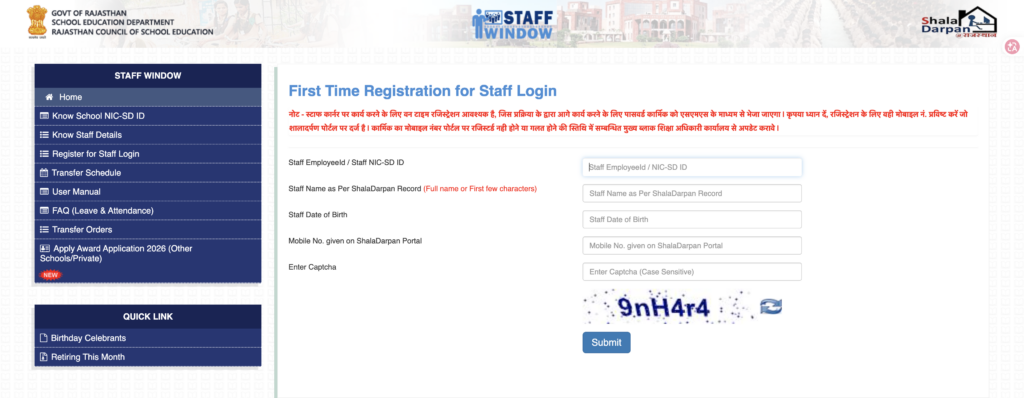
What Is Shala Darpan Office Login?
Office Login is intended for authorized users working with education department offices and related administrative units. Through the relevant login area, officials can access the services and records available to their account.
These services may include administrative information, reports, staff-related records, school information and other departmental functions.
How to Login to Shala Darpan Office
Follow these steps to access the Office Login:
Step 1: Visit the Official Shala Darpan Website
Open the official Rajasthan Shala Darpan website:
Make sure the address belongs to the official rajshaladarpan.rajasthan.gov.in domain before entering any information.
Step 2: Open the Office Login
From the available sections on the portal, select the appropriate Office Login option.
The location or name of the login option may change when the official portal is updated.
Step 3: Enter Login Details
Enter the credentials requested on the official login page. Depending on the office and account type, the portal may ask for information such as:
- User ID
- Password
- Office-related login details
- Captcha or security verification
Enter the information carefully.
Step 4: Complete the Captcha
If a captcha is displayed, enter the characters shown on the screen. If the captcha is difficult to read, use the refresh option where available.
Step 5: Click Login
After checking the information, click the Login button. If the credentials are valid, you will be taken to the relevant Office dashboard.
What Services Are Available After Office Login?
The services shown after login depend on the user’s role and permissions. Authorized office users may access options related to:
- School information
- Staff records
- Student information
- Administrative reports
- School monitoring
- Departmental services
- Other office-related activities
Not every Office Login account will have access to the same services.
Office Login Problems
If you cannot log in, first check your User ID, password and captcha. You can also refresh the page and try again.
If you have forgotten your login credentials, check whether the official portal provides a recovery option. For account-specific issues, use the official Shala Darpan support or contact information.
Important Security Tips
When using Shala Darpan Office Login:
- Use only the official website.
- Never share your password or OTP.
- Check the website domain before logging in.
- Avoid using login credentials on unofficial websites.
- Log out after using a shared computer.
- Keep your office login information confidential.
Official Shala Darpan Link
For Office Login and other Shala Darpan services, use the official Rajasthan portal:
Official Website:
https://rajshaladarpan.rajasthan.gov.in/
Frequently Asked Questions
Final Words
The Shala Darpan Office Login provides authorized officials with access to office-related services and information. To protect your account, always use the official Shala Darpan portal and keep your login credentials private.