
Class 5th & 8th Results – Shala Darpan
The Class 5th & 8th Results are available through the Rajasthan Shala Darpan education portal. Students, parents, and schools can use the online system to check examination results and access the available result information without visiting a school office. Shala Darpan provides several education-related services for Rajasthan, including school information, student services, examination-related facilities, and Class 5 and Class 8 result services. The result section becomes especially important when the annual examination results are announced.
If you are looking for the Shala Darpan Class 5th Result or Class 8th Result, this guide explains where to go, what information may be required, and how to check the result online.
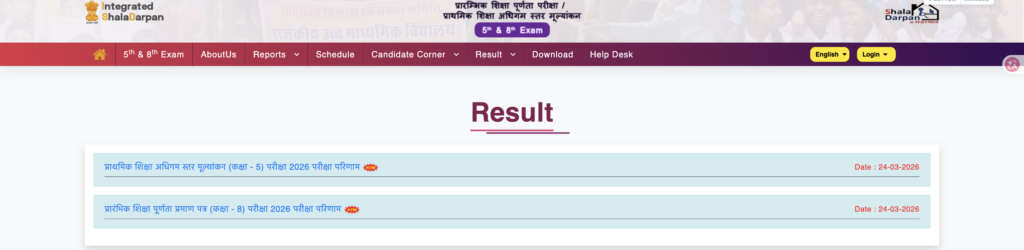
Official Shala Darpan Result Website
To check the Class 5th or Class 8th result, always use the official Rajasthan education portals.
Official Shala Darpan Website:
https://rajshaladarpan.nic.in/
Rajasthan Board Official Website:
https://rajeduboard.rajasthan.gov.in/
The exact result page or available options can change when a new examination session is published. Therefore, it is better to start from the official portal rather than using an unknown result website.
What Are Class 5th & 8th Results?
The Class 5 and Class 8 examinations are important school-level examinations for students in Rajasthan. Their results provide information about the student’s performance and qualifying status.
The online result service makes it easier for students and parents to check the result using the information provided by the examination system.
Depending on the examination session and portal instructions, students may be asked to provide details such as:
- Class
- Roll number
- District
- Application number, where applicable
- School NIC-SD Code or PSP Code, where applicable
- Date of birth, where applicable
- Captcha/security code
The exact fields shown on the result page may vary, so students should follow the instructions displayed on the official website.
How to Check Shala Darpan Class 5th & 8th Results
Checking the result online is a simple process. Follow these steps carefully.
Step 1: Open the Official Website
First, open the official Shala Darpan website:
You can also check the Rajasthan Board website:
Step 2: Find the 5th & 8th Result Section
Look for the examination or result section related to Class 5th and Class 8th.
The portal may display a dedicated option for the 5th and 8th examination services. Open the relevant result page.
Step 3: Select Your Class
Select the class for which you want to check the result.
Choose:
- Class 5th
- Class 8th
Make sure you select the correct class before entering the remaining information.
Step 4: Enter the Required Details
Enter the information requested by the result page.
Usually, the roll number is an important detail for checking an individual result. Depending on the available search option, the portal may also request a district, application number, school code, or other information.
Enter every detail carefully because an incorrect number or selection can prevent the result from being displayed.
Step 5: Complete the Captcha
Enter the captcha or security code shown on the screen.
If the captcha is difficult to read, use the refresh option if available and enter the new code.
Step 6: Submit the Information
After checking all the details, click the Search, Submit, or similar button shown on the result page.
The system will process the information and display the available result.
Step 7: Check and Save the Result
Once the result appears, carefully check the student’s name, class, roll number, subject-wise information, grades or marks, and qualifying status.
If a download or print option is available, save a copy of the result for future reference.
What Information Is Shown in the Result?
The information displayed can depend on the examination and result format. Generally, students may find important details such as:
| Result Information | Purpose |
|---|---|
| Student Name | Identifies the candidate |
| Roll Number | Identifies the examination record |
| Class | Shows Class 5 or Class 8 |
| Subject Details | Shows individual subject performance |
| Marks or Grades | Shows academic performance |
| Result Status | Shows the qualifying status |
| Examination Details | Provides relevant exam information |
The online result should be checked carefully after it is displayed. If there is any problem with the information, students or parents should contact their school or the concerned education authority.
Class 5th Result and Class 8th Result
The result process for both classes is generally similar, but students should select the correct examination and class on the official portal.
For the Class 5th Result, select Class 5 and provide the requested candidate information.
For the Class 8th Result, select Class 8 and provide the requested information.
Do not enter Class 5 details on the Class 8 result page or vice versa.
What If the Result Is Not Showing?
Sometimes a large number of students try to access the result immediately after it is announced. This can make an official website slow or temporarily difficult to access.
If your result does not appear, try the following:
- Check your roll number again.
- Make sure the correct class is selected.
- Select the correct district if required.
- Enter the captcha correctly.
- Refresh the page and try again.
- Try the official Rajasthan Board website.
- Check again later if the website is experiencing heavy traffic.
- Contact your school if your details are still not available.
Avoid entering personal information on websites that are not connected with the official education authorities.
Can Students Download the Result?
If the official result page provides a print or download option, students can save the displayed result for their records.
A downloaded or printed online result can be useful for checking academic information. However, if a school or institution asks for an officially issued document, follow its requirements regarding the original marksheet or certificate.
Important Tips for Students and Parents
Before checking the Shala Darpan Class 5th & 8th Results, keep the student’s roll number and other required details ready. It is also important to use the official portal and carefully verify the information before submitting the form. If the website is temporarily unavailable, do not panic. Result websites can experience heavy traffic when thousands of students try to check their results at the same time. For the latest information, always check the official Rajasthan education websites.
Frequently Asked Questions
Final Words
The Class 5th & 8th Results service makes it easier for Rajasthan students and parents to access examination results online. Instead of depending on unofficial result websites, students should use the official Shala Darpan and Rajasthan education portals. Keep your roll number and other required information ready, select the correct class, enter the details carefully, and save the result after it is displayed. For official updates and result-related services, start with Shala Darpan: https://rajshaladarpan.nic.in